AppSumo Radar beta
Radar products are early-stage listings that are managed by the team who built the product.Learn more about Radar

Your PDFs never leave your computer

5 bought
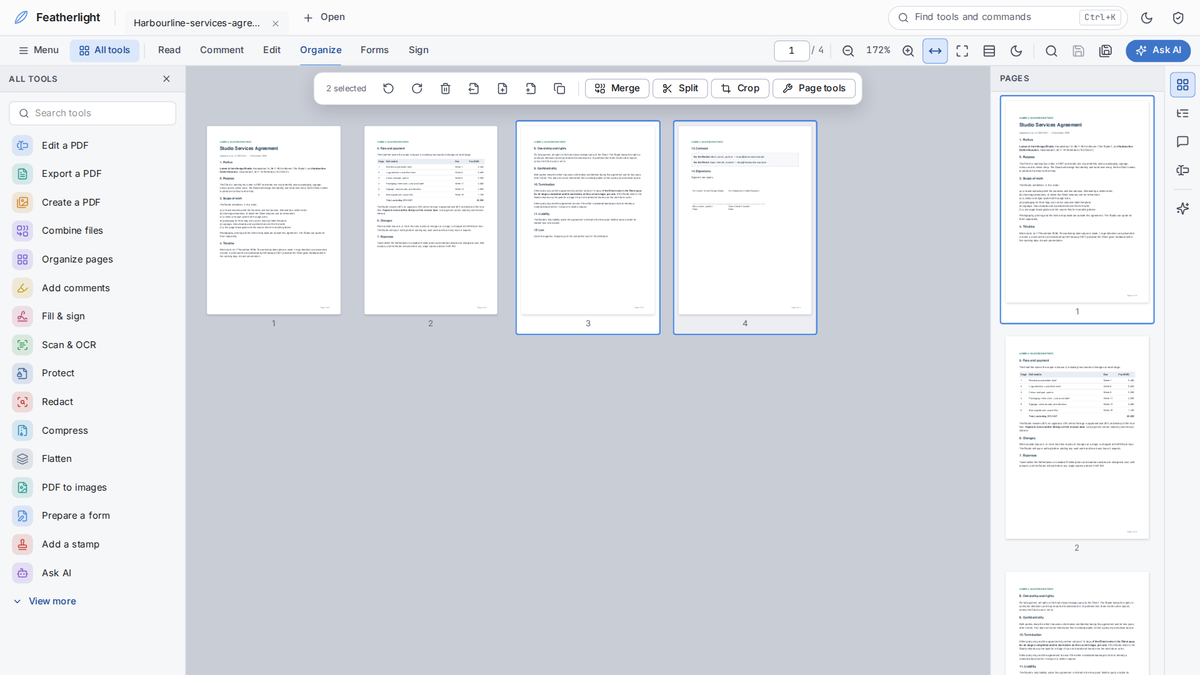
Page grid for organizing
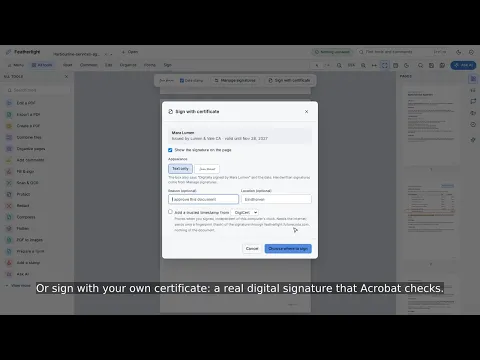
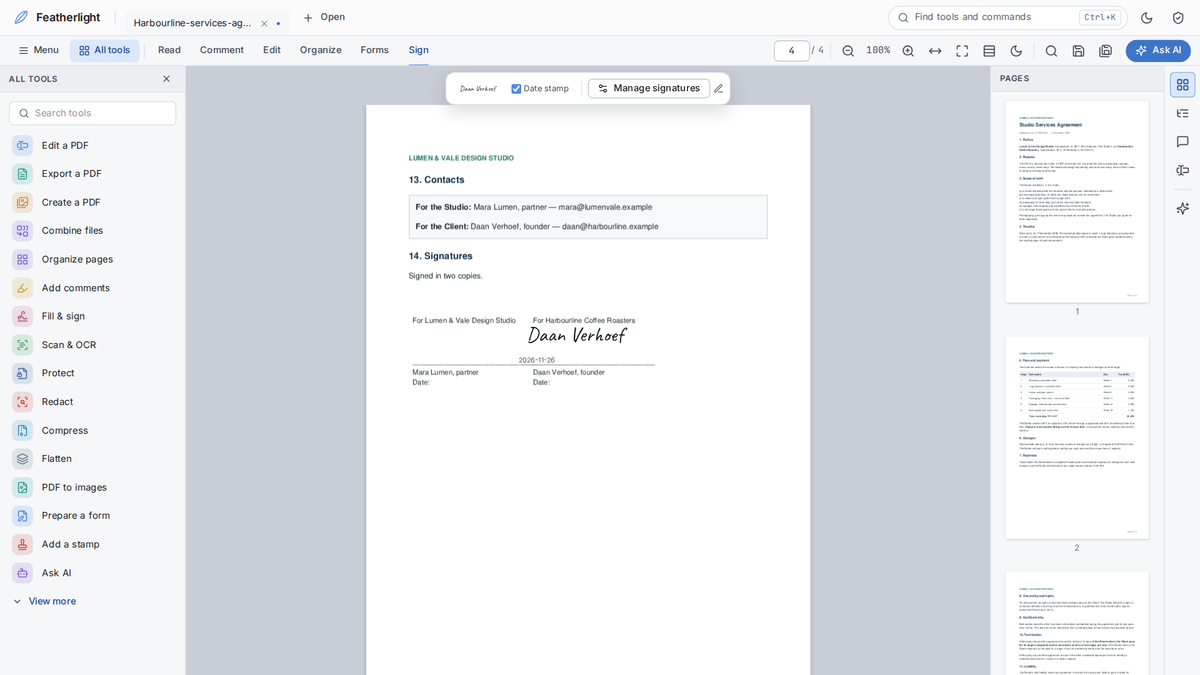
Signature placed on contract
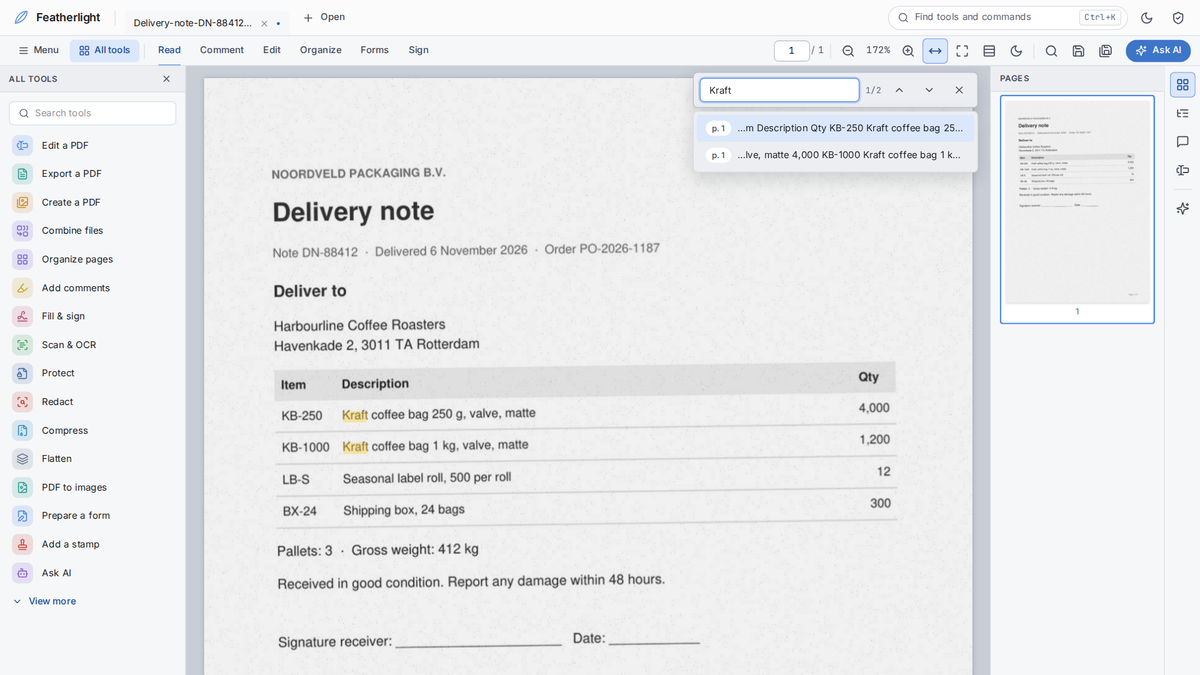
Scanned page searched after OCR
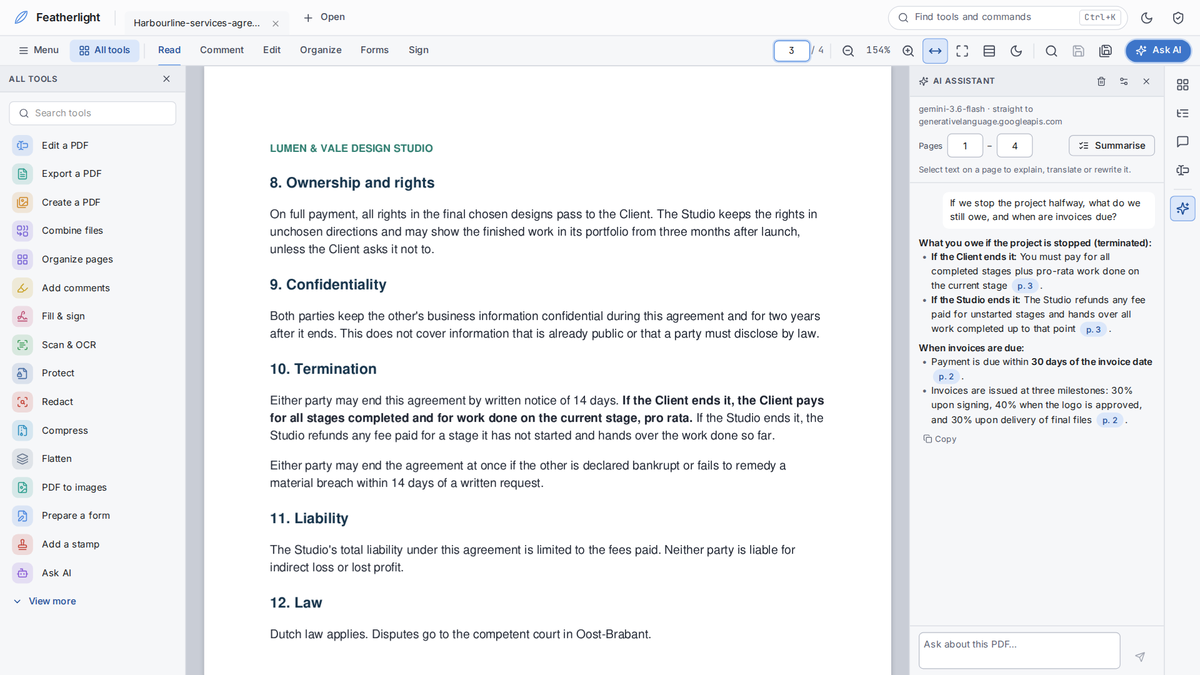
AI answer with page links

Featherlight

$35.10$39$79once, no subscription
  • Lifetime access
  • Refundable up to 60 days
No "We Got Your Back" guarantee. Radar is a discovery engine — we don't vet these products, so this guarantee doesn't apply.
AppSumo's 60-day refund applies to most deals. AI skills are non-refundable once redeemed.
AppSumo Labs

Early-stage product. Brought to you by the team who built it.

PDF editor that runs in your browser: edit, sign, OCR and redact without uploading your files

Up to 15Devices
From $35.10once, forever
  • Edit, sign, merge and OCR PDFs without uploading them anywhere
  • Work offline in your browser or the Windows, Mac and Linux apps, with no account to create
  • Alternative to Adobe Acrobat ProAdobe Acrobat Pro, ABBYY FineReaderABBYY FineReader, Nuance Power PDF

Everything you do with PDFs, on your own computer

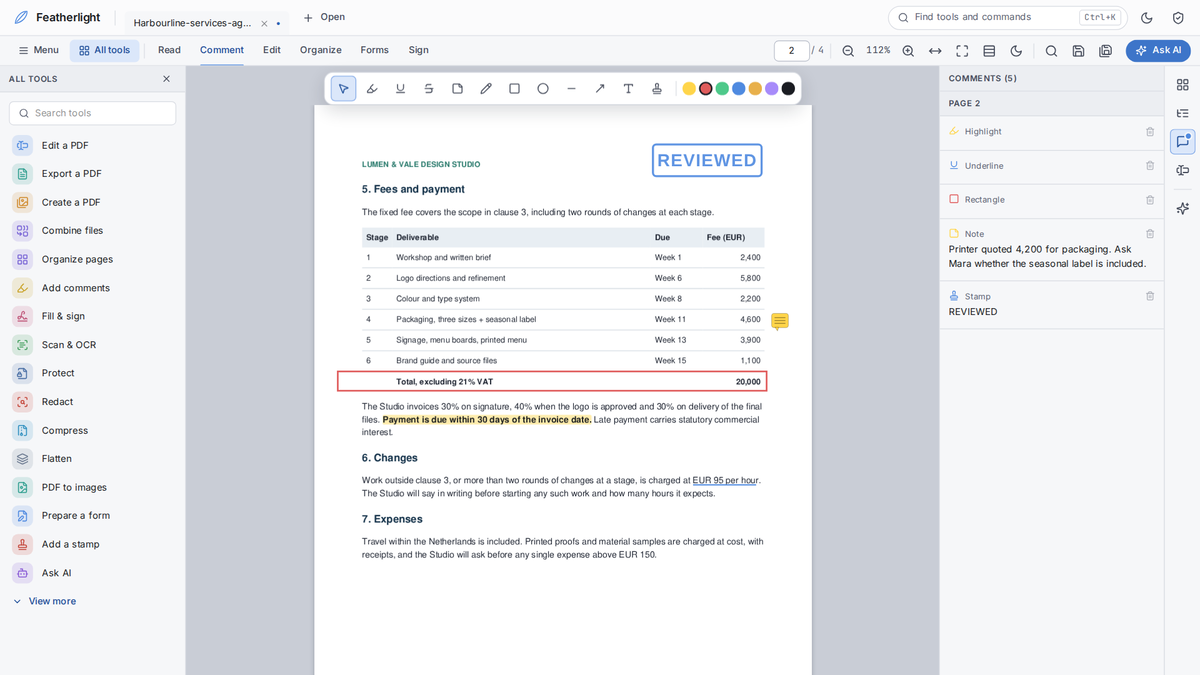
Mark up, edit and reorganize a contract in one place

  • Highlight, comment and stamp with real PDF annotations that show up in Acrobat, Preview and every browser
  • Click a paragraph and rewrite it: it re-wraps and fits, and the old wording is removed (Pro); or retype a single line (Solo). Arabic and Hebrew work, and you can add images, watermarks and page numbers
  • Add headers, footers and page numbers, or crop pages by hand or to their content
  • Reorder, rotate, delete and extract pages, merge files with page ranges, or split at bookmarks, with right-click menus on pages and thumbnails. Business adds split by size or text, interleaved scans, blank-page removal, resize and grayscale
  • Compress and convert: a 42 MB photo-heavy PDF came down to 6 MB in our test, pages export as PNG or JPEG, and the whole file saves as an editable Word document
Mark up, edit and reorganize a contract in one place

Fill, build and sign forms without printing anything

  • Fill any standard form on the page, or build your own text, checkbox, radio, dropdown and signature fields
  • Business finds the fields for you: the lines, tick boxes and answer boxes of a form designed in Canva, Word or InDesign become fields named after their labels, with totals, currency, date formats and checks that work as you type
  • Draw, type or upload a signature and place it with a date stamp, then flatten and lock the finished file, with a password if you like
  • Sign with your own certificate (Pro and Business): a PAdES digital signature from your .p12 or .pfx that Acrobat shows as valid, with an optional trusted timestamp. Your certificate never leaves your computer
  • Check the signatures in any PDF you receive (every plan): who signed it and whether anything changed after signing
Fill, build and sign forms without printing anything

Turn scans into searchable text, and remove what must stay private

  • Scan paper with your phone camera: shadows are evened out on the device, and Pro turns the pages into searchable text
  • Run OCR on your own machine in 21 languages, accents included, two at once for mixed documents, about 4 to 5 seconds per dense page on a 2018 laptop
  • Search, select and copy text from scanned paper once OCR finishes
  • Redact for real: mark every match of a name or number, or drag boxes. Applying removes the text, fonts, fields and matching bookmarks, and turns those pages into images (run OCR to search them again)
  • Find personal data and remove hidden information before you send: e-mails, IBANs, card and phone numbers checked by their check digits and ready to redact, plus metadata, scripts and attachments. OCR, redaction and these privacy tools are on Pro and Business
Turn scans into searchable text, and remove what must stay private

Ask questions about a long PDF and get answers with page links

  • Ask, summarize, translate or rewrite a passage, with answers that link to the page they came from
  • Use your own API key for OpenAI, Anthropic, Google Gemini or OpenRouter (billed by that provider), or a free local model through Ollama or LM Studio for fully offline use
  • Your text goes straight from your computer to the service you chose, never through us, and a badge in the editor lists every request the app makes
  • Business also adds comparing two versions with a report, PDF to Excel and PowerPoint, bookmarks you can edit or build from headings, attachments, page backgrounds, form data in and out (JSON, CSV, XFDF) and read aloud with your device's own voices
  • Ask for a feature and we build it, in every licence at no extra cost: featherlight.futurecoda.com/roadmap
Ask questions about a long PDF and get answers with page links

Choose the plan that’s right for you

Feel secure in your purchase with AppSumo's 60 day money-back guarantee.

Refundable up to 60 daysNot covered by We Got Your Back. Why?
Deal terms & conditions
Featherlight
See Featherlight
Founded May 1, 2025
🇳🇱Eindhoven, Netherlands
1-10
Startup
Bootstrapped

Compare two PDFs, and save as Excel or PowerPoint

Featherlight 0.2.27 is out on the web and the Windows, Mac and Linux apps. Three Business features, all running on your computer:

- Compare two PDFs: pick the older and the newer version and get every word added, removed or changed, and every page inserted or taken out. An inserted page counts once; it doesn't mark every later page as changed. Side by side, or as an overlay that also shows a moved logo or a new signature; n and p step through the changes.

- Comparison report: a PDF with a summary and the changed pages, additions highlighted and removals noted in the margin. A 300-page pair compares in seconds.

- PDF to Excel: the tables on your pages become a spreadsheet, numbers as real numbers (European 1.234,56 and percentages too); a table that runs over several pages is one sheet.

- PDF to PowerPoint: one slide per page, the pictures and drawings as the background and every line of text as a text box you can edit, so nothing appears twice. Or pictures only, for an exact-looking deck.

Nothing is uploaded. Full notes: https://featherlight.futurecoda.com/changelog

What “Radar” means for this product

Learn more about AppSumo deals

Radar is home to early-stage products looking to gain traction. Here’s the lowdown of what these deals are and aren’t.

Where it is in its life

Radar products are at the start of their journey. They're fresh on the scene and building a customer base.

How we vouch for it

We've verified the basics and reviewed the listing for safety. Success isn't guaranteed — we haven't fully vetted every claim, feature, or result.

Code & security review

All AI skills are reviewed for security purposes. We do not review software code — partner owns security and what ships.

Refund policy

60-day refund on most deals. AI skills are non-refundable once redeemed.

Pricing

Prices are set by the founder. Simple as that.

Where you'll see it

The Radar section of our site exclusively. These products are in early discovery and not quite ready for the AppSumo limelight yet.

Radar is a discovery engine — because we aren’t vetting these products, our We Got Your Back guarantee doesn’t apply. Should these products show traction, our team will work with theirs to get them ready for the main stage (and protected).

Questions & reviews